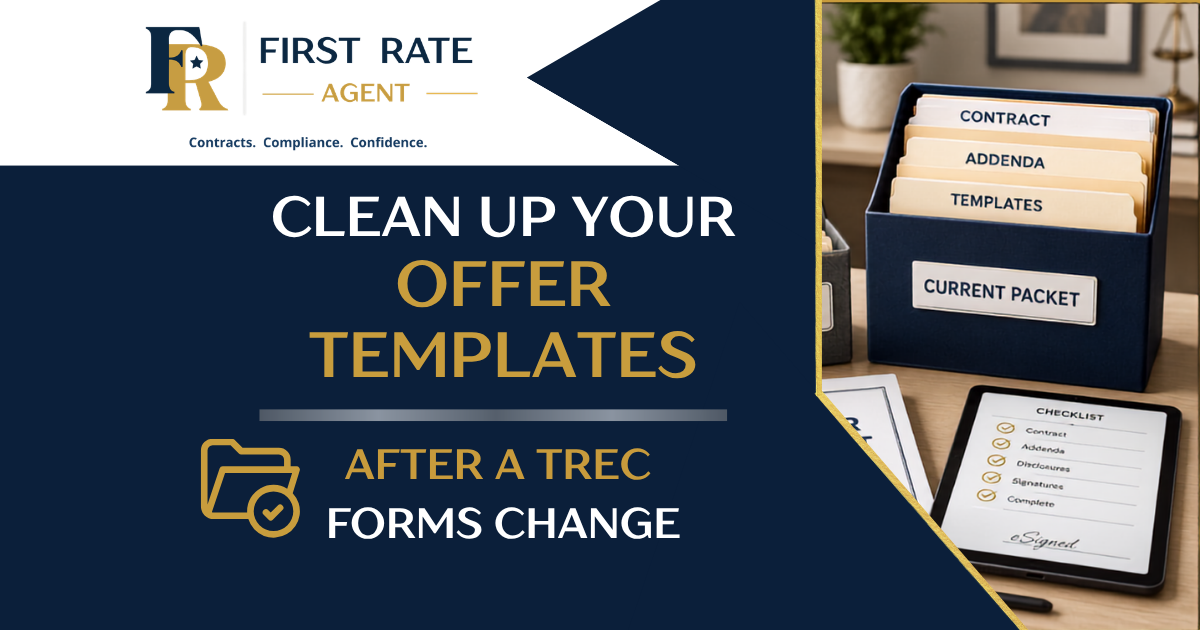
How Texas Agents Should Clean Up Their Offer Templates After a TREC Form Change
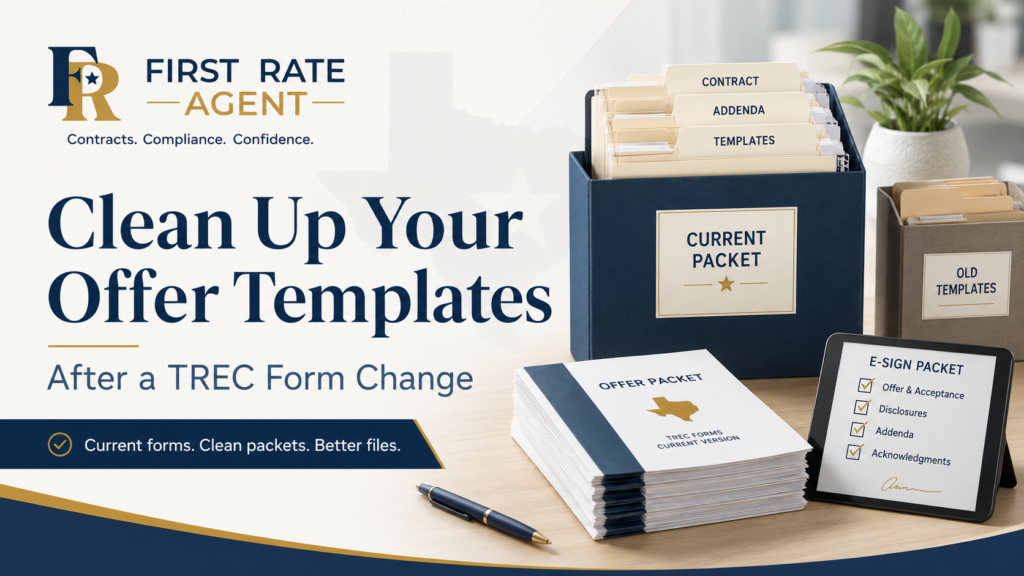
When TREC forms change, most agents know they need to use the current form.
But that is only the first step.
The bigger issue is what happens inside the agent’s day-to-day workflow.
Many Texas agents do not write every offer from a blank slate. They rely on saved offer packets, prior transaction files, e-sign templates, brokerage form folders, team checklists, CRM tasks, email templates, and personal shortcuts built over time.
Those systems are valuable and can save time.
But after a form change, they also can create problems.
An outdated form packet can quietly preserve old language. A saved addenda bundle can include the wrong forms. A checklist can give the appearance of control while still reflecting the prior version of the contract. A team folder can continue circulating outdated documents even after one agent has updated their own files.
That is why a form change should trigger a workflow cleanup.
Not just a forms update, but a process update.
Here is how Texas agents should clean up their offer templates and transaction workflow after a TREC form change.
1. Stop using prior transactions as your starting point
Using an old transaction as a template is one of the most common agent shortcuts.
It’s quick and it feels efficient.
You find a similar deal, copy the packet, update the names and property address, adjust the numbers, and move quickly.
But after a form change, this can be risky.
A prior transaction may contain:
- an outdated contract form
- old addenda
- prior notice language
- outdated compensation assumptions
- stale transaction instructions
- old deadline habits
- documents that no longer match your broker’s current workflow
The problem is not that agents are careless. The problem is that they’re often in a hurry. And previously-closed files are familiar. Familiarity makes them feel safe.
But a form that was correct for one transaction may not be the correct starting point for the next one.
After a form update, your safest habit is to start from a current source, not an old transaction file.
That does not mean you cannot use checklists or templates. You can, and you should.
But the template needs to be intentionally rebuilt from current forms and current procedures to avoid time-consuming and potentially troublesome problems down the road.
2. Audit every place you store offer packets
Many agents have templates scattered in more places than they realize.
One file might live in ZipForm. Another might be saved in DocuSign. Another may be in Google Drive, Dropbox, OneDrive, a brokerage intranet, a team folder, a CRM, or a folder on the desktop.
Maintaining templates in scattered locations creates a version-control problem.
You may update one template and still accidentally use another, which has not been updated.
After a TREC form change, agents should make a list of every place they store or reuse transaction documents, including:
- ZipForm or other forms platforms
- DocuSign, Authentisign, or other e-sign systems
- broker-provided form libraries
- team transaction folders
- personal PDF folders
- Google Drive, Dropbox, or OneDrive
- CRM document templates
- transaction management platforms
- email attachments used repeatedly
- saved buyer or listing packets
- desktop folders labeled “forms” or “contracts”
This step is not glamorous. But it matters.
If you don’t know exactly where your templates live, you can’t know for certain whether they are current.
A form cleanup should not be limited to the one place you usually remember to check. It should include every place an old form might still be waiting to be reused.
Free Resource: Transaction File Audit Checklist
Old templates are easy to miss when they are scattered across forms platforms, e-sign systems, cloud folders, broker libraries, team folders, CRM templates, and old transaction files.
Use the free Transaction File Audit Checklist to review your file setup, spot outdated forms, and identify weak spots before they create problems in a live transaction.
3. Archive old packets instead of leaving them active
Do not let outdated packets sit in the same folder as current packets. That invites mistakes.
If you need to keep older packets for reference, move them into a clearly labeled archive folder. Do not leave them in your active workflow.
For example, instead of keeping everything in a folder called:
Buyer Offer Packet,
it’s better to create clearly-labeled folders such as:
Current Buyer Offer Packet
and
Archived — Prior Form Versions.
The goal here is simple: when you are writing an offer under pressure and in a hurry, you need to be able to rely on the structure of the template. You should not have to wonder if the template or packet is current.
The active folder should contain only what you are willing to use today – correct forms and the current versions.
If the old packet is still useful for reference, archive it. If it is not useful, delete it according to your broker’s document retention policies and your own business practices.
Do not leave outdated forms sitting where they can be accidentally sent for signature.
4. Rebuild your offer packet from the ground up
After a form change, resist the temptation to “patch” your old packet.
It is usually better to rebuild the offer packet from a clean starting point. This forces you to evaluate your workflow and make sure it still serves your needs the way you want.
This does not have to be complicated. Start with the most common transaction scenario you handle and build a clean packet around it.
A basic rebuilt buyer offer packet might include:
- the current contract form
- a checklist for commonly-used addenda
- brokerage-required documents
- buyer representation or compensation-related documents required by your broker
- notice delivery reminders
- deadline tracking instructions
- a clean email or message template for sending the offer
- a file-opening checklist
- any required internal compliance steps
You don’t need to include every possible document in every packet.
The point is to build a reliable, reusable starting point for the most common scenarios.
A good offer packet should help the agent think through the transaction, not replace the agent’s judgment.
If the property is subject to a property owners association, you still need to think through the required forms and notices. If financing is involved, you still need to include the financing addendum. If the property is older, leased, subject to special issues, or has unique facts, the packet needs to be adjusted.
Templates should support good judgment.
They should not become a substitute for it.
5. Recheck your addenda workflow
Addenda are one of the easiest places for old habits to linger and cause problems.
Agents often develop a type of “muscle memory” around which documents to attach and where they expect to find them. That can be useful so long as the forms stay the same. But when forms are reorganized or updated, that same muscle memory can create problems.
After a form change, agents should review their addenda process carefully.
Ask yourself:
- Which addenda are commonly used in my transactions?
- Which addenda are required only in specific circumstances?
- Which notices are property-specific?
- Which documents are required by my broker?
- Are any old addenda still saved in my templates?
- Have form names, form numbers, or locations changed?
- Do my checklist and e-sign packet still match the current form structure?
This is especially important for agents who work on teams that have team-specific templates or packets.
One agent may update the packet, but another agent may keep using the old version. A transaction coordinator may have one checklist, while the team lead has another. A broker may update a central folder, while individual agents still rely on their personal copies.
That creates inconsistency. And inconsistency creates file problems.
6. Update your deadline tracker and task list
A form change is also the perfect time to review your deadline system.
Agents often think of form changes as a document issue only. But many contract forms drive deadlines, delivery obligations, follow-up items, and file-review steps.
If your task list or deadline tracking system was built around an older workflow, review it before relying on it again.
Check your deadline and task system for items such as:
- effective date
- earnest money
- option fee
- additional earnest money
- option period
- financing deadlines
- appraisal-related deadlines
- seller’s disclosure notice timing
- HOA or resale certificate issues
- title commitment and exception documents
- survey deadlines
- objection periods
- notice delivery
- temporary lease dates
- closing date
- possession timing
- amendment follow-up
- broker compliance review
Even if a deadline did not change, your process around that deadline may need to be cleaned up.
The question to ask is not just, “Do I know the deadline?”
The better question is:
“Can someone look at this file later and clearly see how the deadline was identified, tracked, communicated, and handled?”
That is the difference between a casual transaction process and a clean, audit-ready transaction file.
7. Review your email and message templates
Your forms are not the only templates that may need updating.
Email and message templates can also become outdated.
For example, you may have saved language for:
- sending an offer to the listing agent
- explaining what is included in the offer package
- sending documents to a buyer for signature
- requesting addenda or missing documents
- confirming deadline reminders
- notifying the client of next steps
- sending contract documents to title
- communicating with lenders or transaction coordinators
If those templates refer to old forms, old instructions, old assumptions, or outdated document names, they need to be updated too.
This matters because agents often move quickly during offer preparation. In many cases, agents have lists of saved email phrases they can copy and paste for certain tasks in the transaction to save time. But the trouble is, an outdated saved email template can make an outdated workflow look official.
If your email says “attached are the standard forms,” but the wrong forms are attached, the email does not help you.
It just documents the problem.
8. Get broker guidance before rebuilding compensation language
In today’s real estate industry climate, compensation language deserves special care.
This is not an area where agents should rely on old scripts, informal habits, or “how we used to do it.”
If your brokerage has updated guidance around compensation, representation agreements, seller contributions, broker-to-broker issues, or offer presentation, make sure your templates match that guidance.
Do not rebuild your own packet without checking if your broker has a required procedure.
Ask before you send the next offer.
Your broker may have developed specific instructions for:
- buyer representation documents
- seller contribution language
- compensation-related disclosures
- internal file notes
- offer presentation
- client explanations
- transaction coordinator workflows
- compliance review
This is one of those areas where cleanup should happen before the next contract is signed, not after a problem appears.
9. Create one clean “current packet” and test it
After you update your documents, do not assume everything works. Test the packet.
Open it the way you would in a real transaction. Send it through the same e-sign process. Check the order of the documents. Make sure signature tabs land correctly. Confirm that initials, dates, checkboxes, and blanks appear where you expect them.
Review things like:
- Does the packet use the current forms?
- Are the documents in a logical order?
- Are required initials and signatures tagged correctly?
- Are blank fields easy to complete?
- Are old PDFs removed?
- Are addenda clearly identified?
- Does the packet match your broker’s current policy?
- Does your checklist match the documents in the packet?
A template that has not been tested is not really finished. And a live test on a dummy transaction can save you time, frustration, and headaches by finding failure points before it really matters.
The middle of a live transaction is not the best time to discover that your e-sign packet has old tags, missing initials, or an outdated document.
10. Keep a simple version-control note
Version control does not have to be complicated.
You do not need a corporate software system to keep better records.
It can be as simple as adding a short note or text document to your template folder or checklist showing:
- date updated
- forms reviewed
- packet owner
- source of current forms
- broker approval or review status, if applicable
- notes about what changed
For example, a word-processor file at the bottom of the template folder saying something like:
Buyer Offer Packet — Updated July 2026
Reviewed for current TREC forms and broker-required documents. Prior versions moved to archive.
It might seem like overkill on the day you type it. But six months or a year down the road, that kind of note helps prevent confusion and reminds you of what you did. It also helps if you work with a team, assistant, transaction coordinator, or broker reviewer.
The more people involved in the transaction workflow, the more important version control becomes.
A simple cleanup checklist for Texas agents
After a TREC form change, take time to clean up your workflow.
Start here:
- Stop using prior transactions as your starting point.
- Identify every place you store templates and packets.
- Archive old forms and outdated offer packets.
- Rebuild your current packet from a clean source.
- Recheck your addenda and notice workflow.
- Update your deadline tracker and task list.
- Review saved email and message templates.
- Confirm compensation-related procedures with your broker.
- Test your e-sign packet before using it.
- Add a simple version-control note.
That is not busywork. That is file protection. That is being serious about your professionalism.
The real takeaway
A form change does not end when the new form appears in your forms platform.
That is where the cleanup begins.
The agents who avoid problems are not necessarily the agents who memorize every paragraph change in the forms. They are the agents who update their systems before the next file gets messy.
A clean transaction starts before the offer is written.
It starts with the packet, the checklist, the deadline system, and the workflow behind the scenes.
If those systems are current, the file is easier to manage.
If they are outdated, the file may already be weak before anyone signs the contract.
A better file starts with a better system.
Related Articles
If you found this article helpful, you may also want to read:
July 1 TREC Contract Changes: 5 Things Texas Agents Should Check Before Writing Their Next Offer
A detailed look at how extensive TREC form changes create file-quality issues along with changes to the forms themselves.
The Hidden Liability of Text Messages in Real Estate Transactions
A clear-eyed look at the potential dangers of text messaging in real estate transactions and thoughts on how to capture and preserve substantive communications.
The Most Expensive Mistake Agents Make Before They Ever Reach the Closing Table
A practical look at why contract review and file organization need to start before the transaction is already in trouble.
About Michael Hughes
Michael Hughes is a Texas real estate attorney, broker, educator, and former Managing Broker for eXp Realty Texas, where he oversaw compliance operations for nearly 10,000 agents statewide.
With more than 20 years of legal experience and over a decade in Texas real estate brokerage, Michael helps agents navigate contracts, compliance, risk management, and transaction systems through First Rate Agent and Advantage TC.
Need Help Keeping Transaction Files Clean?
A form update is a good reminder that clean files do not happen by accident.
They come from current forms, organized templates, reliable deadline tracking, clear document workflows, and a system that makes it easier to catch problems before they reach the client or closing table.
If your offer packets, e-sign templates, addenda workflow, or transaction checklist need a cleanup, Advantage TC can help you put a cleaner contract-to-close process in place.
A well-managed file does not just make closing easier. It makes the transaction easier to review, explain, and defend later.